Create Your Rolling UV DTF Gangsheet
Create Your Rolling UV DTF Gangsheet
Build a gangsheet with your images. make sure you check your sizes, image quality and psi quality (300 psi recommended). The price and sheet auto adjust per foot! The more you print, the more you save!
If you have a gangsheet already built per specifications, upload here.
Build Your Rolling UV DTF Gang Sheet
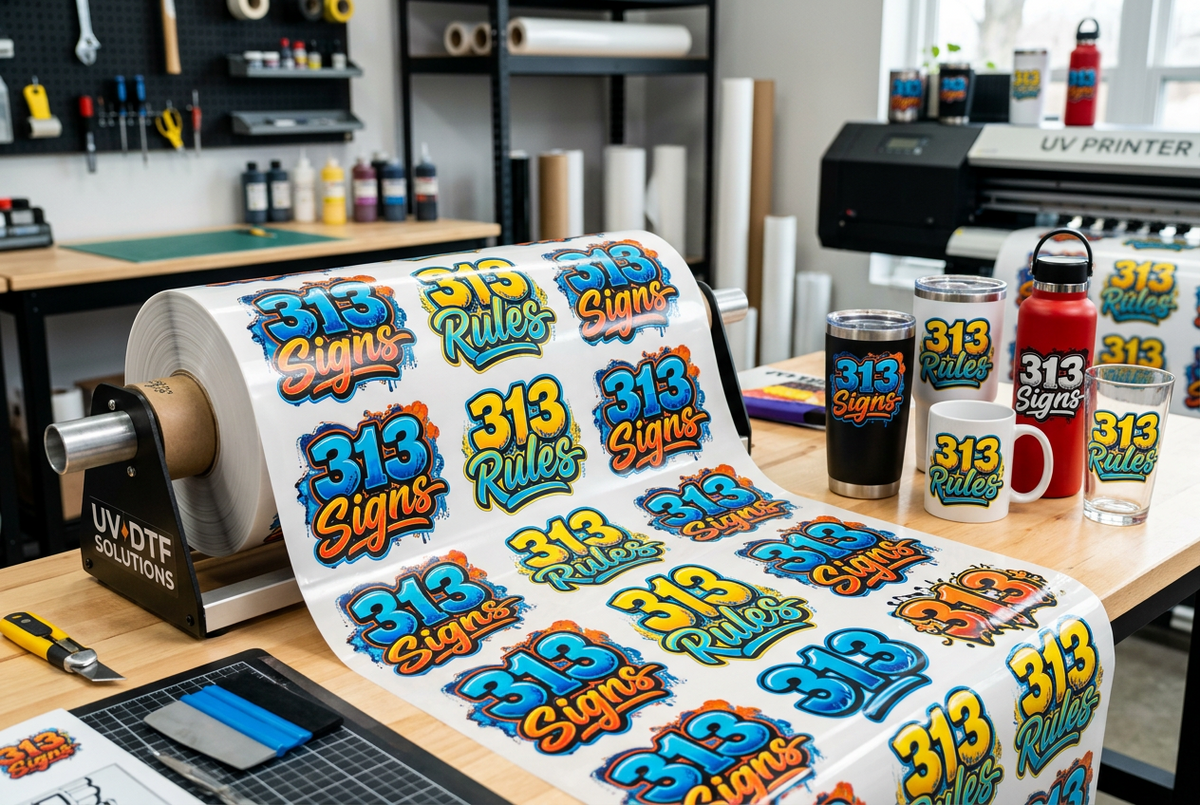
Turn your logos, artwork and custom designs into full-color UV DTF adhesive transfers with 313 DTF. Arrange multiple designs on one gang sheet for decorating smooth, hard surfaces such as glass, acrylic, metal and suitable plastics. Create custom cups, packaging, signs and promotional items without a heat press.
How the Rolling Gang-Sheet Builder Works
- Upload your individual designs into the builder.
- Set each design to your intended print width and height, then arrange your artwork within the 22-inch-wide sheet.
- Add designs along the sheet length. Select from the available sheet sizes and check the builder's current size limits.
- Review every design, the full layout, sheet length and displayed price before adding your sheet to the cart. Leave enough space between designs to cut them apart.
- Complete checkout. Your UV DTF transfers arrive ready to cut apart and apply to suitable hard surfaces.
Already have a completed gang sheet? Use the ready-made UV DTF gang-sheet upload option where available. Keep your finished layout at the intended print size and recheck its dimensions after uploading.
Artwork Requirements & Image Quality
- Use 300 DPI artwork at the final printed size whenever possible. Enlarging a low-resolution image or changing its DPI label does not restore missing detail.
- PNG files with transparent backgrounds are recommended. Remove any background you do not want printed before uploading.
- Recheck every design's width and height after upload. Confirm the measurements are in inches and match the intended size on your item.
- Maintain the correct proportions when resizing to avoid distortion.
- Check spelling, quantities, spacing, backgrounds and the entire layout before checkout.
- Submit print-ready artwork. Artwork cleanup, background removal and design corrections are not automatically included. Contact us before ordering if you need help.
How to Apply Your UV DTF Transfers
No heat press is needed. UV DTF is an adhesive transfer for suitable hard surfaces, not an apparel heat transfer. Follow any product-specific instructions included with your order.
- Clean the application surface and let it dry completely. It should be free of dust, oil and residue.
- Cut out your design and rub the transfer firmly through the carrier film.
- Carefully peel away the backing, making sure the entire design stays on the clear carrier film.
- Position the design carefully, then apply it to your surface. Avoid touching the adhesive and do not assume it can be repositioned.
- Rub firmly across the entire design, including small details and edges.
- Slowly peel away the clear carrier film. If part of the design lifts, lay the film back down and rub that area again before continuing.
Surface Compatibility & Care
Best suited to smooth, clean, hard surfaces. Textured, porous, flexible, silicone or nonstick surfaces may not provide suitable adhesion. Test an unfamiliar material before decorating multiple items. These transfers are not intended for clothing or other fabrics.
For decorated drinkware, hand wash gently and avoid soaking, abrasive scrubbers, dishwashers and microwaves. Apply to the exterior only, away from drinking rims and food-contact areas. Follow any additional care instructions supplied with your order.
Need Help Before Uploading?
Call 313-474-1941 for help with artwork, sizing or choosing your ordering option. Local pickup in Detroit and nationwide shipping are available.